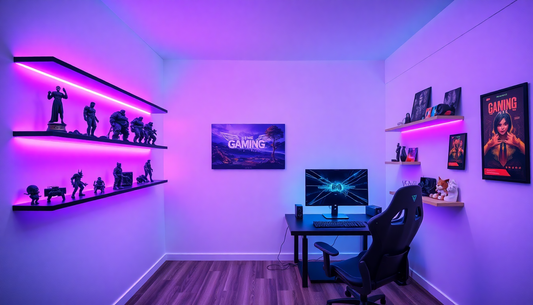

10 Genius Office Desk Organization Ideas to Boost Your Productivity
In today's fast-paced work environment, maintaining an organized desk has become more important than ever. Whether you work from home or in a corporate office, the state of your workspace directly impacts your productivity, focus, and overall job satisfaction. A cluttered desk can lead to wasted time searching for documents, increased stress, and decreased efficiency. Conversely, a well-organized workspace promotes clarity of thought, reduces distractions, and creates an environment conducive to deep work and creative thinking.
The challenge many professionals face is knowing where to start when it comes to desk organization. With countless products available and conflicting advice about what works best, it's easy to feel overwhelmed. This comprehensive guide presents ten genius office desk organization ideas that have been proven to enhance productivity and create a more pleasant working environment. These strategies range from simple decluttering techniques to sophisticated organizational systems, ensuring there's something suitable for every work style and preference.
Understanding the Impact of Desk Organization on Productivity
Before diving into specific organizational strategies, it's crucial to understand why desk organization matters so much. Research in environmental psychology has consistently shown that physical workspace organization directly correlates with mental clarity and task performance. When your desk is organized, your brain doesn't have to work overtime processing visual clutter, which frees up cognitive resources for actual work tasks.
A study conducted by Princeton University found that physical clutter competes for your attention, resulting in reduced performance and increased stress. The researchers discovered that when people work in cluttered environments, their ability to focus is significantly diminished. This means that every item on your desk that doesn't serve a purpose is essentially stealing your attention and mental energy.
Furthermore, an organized desk saves time. Think about how much time you spend each day searching for documents, pens, or other items. Over the course of a week or month, these small time losses add up significantly. By implementing proper organization systems, you can reclaim hours of productive time that would otherwise be lost to searching and sorting.
Idea 1: The Minimalist Approach - Less is More
The first genius organization idea is embracing minimalism at your desk. This approach involves keeping only the items you actually use regularly on your desk surface. Everything else should be stored away in drawers, shelves, or filing systems.
Start by removing everything from your desk. Yes, everything. This blank slate approach allows you to be intentional about what you put back. As you replace items, ask yourself critical questions: Do I use this daily? Does this item serve a specific purpose? Does it bring value to my work? If the answer is no, it doesn't belong on your desk.
The minimalist approach offers several advantages. First, it creates a visually calm environment that reduces stress and promotes focus. Second, it makes cleaning and maintaining your desk much easier. Third, it forces you to be intentional about your workspace, which often leads to better overall organization habits.
When implementing this approach, keep only your most essential items on the desktop: your computer, perhaps a phone, a notepad, and maybe one or two frequently used tools. Everything else should be stored in drawers or cabinets. This creates a clean, professional appearance while maintaining functionality.
Idea 2: Vertical Storage Solutions - Maximize Your Space
One of the most overlooked aspects of desk organization is utilizing vertical space. Most people focus on the desktop surface and drawers, but the wall space above and around your desk represents untapped organizational potential.
Vertical storage solutions include wall-mounted shelves, pegboards, floating cabinets, and wall-mounted file organizers. These solutions are particularly valuable in small spaces where horizontal real estate is limited. By going vertical, you can store significantly more items without taking up additional floor or desk space.
Wall-mounted shelves are excellent for storing books, reference materials, and decorative items that you want to keep accessible but off your desk. Pegboards offer customizable storage with hooks and baskets that can be arranged to suit your specific needs. Floating cabinets provide enclosed storage that keeps items out of sight while remaining easily accessible.
When implementing vertical storage, consider the weight of items you'll be storing and ensure your wall can support the installation. Also, maintain the same organizational principles vertically as you would horizontally—group similar items together and label everything clearly. This prevents your vertical storage from becoming just another cluttered area.
Idea 3: Drawer Dividers and Compartmentalization
Desk drawers are often the black hole of office organization. Items get thrown in haphazardly, and soon you can't find anything without digging through everything. Drawer dividers and compartmentalization systems solve this problem elegantly.
Drawer dividers come in various materials including plastic, wood, and fabric. They create designated spaces for different categories of items, making it easy to find what you need and maintain organization over time. The key is to assign each compartment a specific purpose and stick to it.
For example, you might dedicate one section to writing instruments, another to sticky notes and notepads, another to charging cables, and another to miscellaneous office supplies. This system works because it creates accountability—when items have a designated home, you're more likely to return them there after use.
Invest in adjustable dividers that can be reconfigured as your needs change. This flexibility ensures your drawer organization system remains useful over time rather than becoming obsolete as your work evolves. Label each compartment clearly so that anyone using your desk knows where items belong.
Idea 4: Cable Management Systems - Tame the Technology Beast
In our increasingly digital world, cables have become a major source of desk clutter. Computer cables, charging cords, headphone wires, and various other cables can quickly create a tangled mess that's both unsightly and frustrating to navigate.
Effective cable management involves several strategies. First, use cable clips or cable sleeves to bundle cables together and keep them organized. Cable clips attach to your desk or wall and hold cables in place, preventing them from tangling. Cable sleeves are fabric tubes that bundle multiple cables together, creating a cleaner appearance.
Second, label your cables at both ends. This simple step saves tremendous time when you need to disconnect or reconnect devices. Use small adhesive labels or cable tags to identify each cable's purpose.
Third, consider using a cable management box or tray to hide cables behind your desk. These boxes have openings for cables to pass through while keeping the bulk of the wiring hidden from view. This approach is particularly effective for cables that don't need frequent access.
Finally, regularly audit your cables and remove any that are no longer in use. Old charging cables for devices you no longer own just create clutter. Be ruthless about eliminating unnecessary cables from your workspace.
Idea 5: The Paper Management System - Going Digital and Physical
Paper management is a critical component of desk organization, especially for professionals who still work with physical documents. Without a proper system, papers accumulate rapidly and create overwhelming clutter.
Implement a three-tier paper management system. First, create an inbox for papers that need immediate attention. This should be a small, designated area—perhaps a small tray or folder—where new papers go. Second, establish a filing system for papers that need to be kept for reference or record-keeping. This might involve a filing cabinet with clearly labeled folders organized by category or project. Third, create a recycling or shredding station for papers that are no longer needed.
The key to effective paper management is processing papers regularly. Don't let them accumulate in your inbox. Each day or week, go through your inbox and either file papers, act on them, or discard them. This prevents the buildup that leads to overwhelming clutter.
Consider digitizing important documents. Scanning documents and storing them digitally reduces physical paper clutter while making documents easier to search and access. Many professionals find that a hybrid approach—keeping only the most essential physical documents while digitizing the rest—works best.
Idea 6: Desk Organizers and Desktop Accessories
Desk organizers and accessories are specifically designed to help manage the items that live on your desktop. These range from simple pen holders to sophisticated multi-compartment organizers.
A well-chosen desk organizer can transform your desktop from cluttered to organized. Look for organizers that match your aesthetic preferences and accommodate the specific items you need to keep on your desk. Common options include pen holders, document trays, desk caddies, and monitor stands with built-in storage.
When selecting desk organizers, consider both form and function. An organizer should be attractive enough that you don't mind looking at it all day, but more importantly, it should effectively store and organize your items. Avoid organizers that are too small for your needs or too complicated to use regularly.
One particularly effective type of desk organizer is the monitor stand with built-in storage. These stands elevate your monitor to proper ergonomic height while providing storage space underneath for keyboards, documents, or other items. This dual-purpose solution maximizes your desk space while improving your ergonomic setup.
Idea 7: Time-Based Organization - The Priority System
Beyond physical organization, implementing a time-based organizational system can dramatically boost productivity. This involves organizing your work and desk based on priority and urgency rather than just physical location.
One effective time-based system is the priority inbox method. Designate a specific area of your desk for high-priority items that need immediate attention. This might be a small tray or section of your desk that you check first thing each morning. Items in this area get your best attention and energy when you're most focused.
Another approach is the time-blocking method, where you organize your desk and work materials based on the time of day you'll need them. For example, if you have a client meeting at 2 PM, you might gather all relevant materials and place them in an easily accessible location before the meeting. This prevents last-minute scrambling and reduces stress.
Implement a daily reset routine where you spend five to ten minutes at the end of each workday organizing your desk for the next day. Remove completed items, file away documents, and prepare materials for tomorrow's priorities. This ensures you start each day with a clean, organized workspace.
Idea 8: Color Coding and Visual Organization
Color coding is a powerful organizational tool that leverages your brain's natural ability to process visual information quickly. By assigning colors to different categories, projects, or priority levels, you create a visual system that makes organization intuitive and easy to maintain.
Implement color coding across multiple organizational tools. Use colored folders for different projects or departments. Use colored sticky notes for different types of tasks or reminders. Use colored pens or markers to highlight different categories of information. This visual system allows you to quickly identify what you're looking for without reading labels.
The key to effective color coding is consistency. Establish a color scheme and stick to it across all your organizational systems. For example, you might use red for urgent items, yellow for important but not urgent items, green for completed items, and blue for reference materials. Once this system becomes habitual, you'll find yourself naturally organizing items according to these color categories.
Color coding also makes your workspace more visually interesting and can actually improve your mood and motivation. A workspace with thoughtful color organization feels more intentional and professional than one with random colors scattered throughout.
Idea 9: Digital Organization - Your Computer Desktop and Files
While physical desk organization is important, digital organization is equally critical in today's work environment. Your computer desktop, file folders, and email inbox can become just as cluttered as your physical desk, and digital clutter has the same negative impact on productivity.
Start by organizing your computer desktop. Your desktop should contain only active projects and frequently accessed files. Everything else should be organized in a logical folder structure. A cluttered desktop slows down your computer and makes it harder to find files.
Create a clear folder structure for your files. Use a hierarchical system with main folders for projects or departments, subfolders for specific topics, and files organized logically within those folders. Use consistent naming conventions for files so they're easy to search and identify.
Organize your email inbox using folders and labels. Create folders for different projects, clients, or categories. Use email filters to automatically sort incoming messages into appropriate folders. Archive old emails regularly to keep your inbox manageable. An organized email system saves time and reduces the stress of email management.
Implement a digital filing system that mirrors your physical filing system. This consistency makes it easier to locate information whether you're looking for physical documents or digital files.
Idea 10: The Ergonomic Organization - Health and Productivity Combined
The final genius organization idea combines organization with ergonomics. How your desk is organized directly impacts your physical health and comfort, which in turn affects your productivity and well-being.
Proper ergonomic organization starts with your monitor position. Your monitor should be at eye level when you're sitting upright, about an arm's length away. This prevents neck strain and eye fatigue. If your monitor is too low, use a monitor stand or books to elevate it.
Your keyboard and mouse should be positioned so your elbows are at a 90-degree angle and your wrists are neutral. This prevents repetitive strain injuries. Consider using an ergonomic keyboard or mouse if you experience any wrist or hand discomfort.
Your chair should support your lower back and allow your feet to rest flat on the floor. Proper seating is crucial for preventing back pain and maintaining focus during long work sessions.
Organize frequently used items within easy reach. Items you use multiple times per day should be within arm's reach without requiring you to stretch or twist. Items you use less frequently can be stored further away. This organization principle reduces unnecessary movement and strain.
Ensure adequate lighting at your desk. Poor lighting causes eye strain and headaches. Position your desk near a window if possible, and supplement with a desk lamp that provides adequate illumination without creating glare on your screen.
Maintaining Your Organized Desk - The Long-Term Strategy
Creating an organized desk is one thing; maintaining that organization is another. Many people organize their desk with great enthusiasm, only to see it gradually deteriorate back into chaos. Preventing this requires establishing sustainable habits and systems.
Implement a daily reset routine. Spend five to ten minutes at the end of each workday tidying your desk and preparing for the next day. This prevents clutter from accumulating and ensures you start each day fresh.
Conduct a weekly deep clean and organization session. This might involve filing away papers, wiping down surfaces, and reorganizing items that have gotten out of place. A weekly maintenance session prevents small organizational lapses from becoming major problems.
Review your organizational systems monthly. Ask yourself what's working and what isn't. Be willing to adjust your systems as your needs change. An organizational system that worked perfectly three months ago might need tweaking as your responsibilities evolve.
Establish rules for your desk. For example, you might have a rule that no item stays on your desk overnight unless it's part of tomorrow's priority list. Or you might have a rule that your desk gets completely cleared every Friday afternoon. Clear rules make it easier to maintain organization because you're not constantly making decisions about what should stay and what should go.
The Psychology of an Organized Workspace
Understanding the psychological benefits of an organized workspace can help motivate you to maintain your organizational systems. An organized desk doesn't just make you more productive—it actually makes you feel better.
When your workspace is organized, you experience reduced stress and anxiety. Visual clutter creates a sense of overwhelm that affects your mental state even if you're not consciously aware of it. A clean, organized desk creates a sense of calm and control.
An organized workspace also enhances your sense of professionalism and competence. When your desk is organized, you feel more in control of your work and more capable of handling your responsibilities. This psychological boost can actually improve your performance.
Furthermore, an organized desk signals respect for yourself and your work. It demonstrates that you value your time and your productivity. This self-respect often translates into higher quality work and greater job satisfaction.
Overcoming Common Organization Challenges
Even with the best intentions, most people encounter challenges when trying to maintain desk organization. Understanding these common challenges and how to overcome them can help you succeed.
One common challenge is the tendency to accumulate items over time. You receive a promotional item, a gift, or something you think might be useful someday, and it ends up on your desk. Combat this by being ruthless about what you keep. If something doesn't serve a clear purpose, it doesn't belong on your desk.
Another challenge is the difficulty of maintaining systems that are too complicated. If your organizational system requires too much effort to maintain, you'll eventually abandon it. Keep your systems simple and intuitive. The best organizational system is one you'll actually use consistently.
A third challenge is the tendency to revert to old habits. You organize your desk beautifully, but within a few weeks, it's cluttered again. Overcome this by establishing habits and routines that support organization. Make tidying your desk as automatic as brushing your teeth.
Creating Your Personalized Organization Plan
The ten ideas presented in this guide provide a comprehensive toolkit for desk organization. However, the most effective approach is to create a personalized plan that combines elements from these ideas in a way that works for your specific situation.
Start by assessing your current situation. What types of items do you keep on your desk? What organizational challenges do you face? What's your work style and preferences? Understanding your specific situation helps you choose the most relevant organizational strategies.
Next, prioritize which ideas to implement first. You don't need to implement all ten ideas at once. Start with one or two that address your biggest organizational challenges. Once those are working well, add additional strategies.
Create a timeline for implementation. Set specific dates for when you'll organize different areas of your desk. This prevents the project from becoming overwhelming and ensures you actually follow through.
Finally, establish systems for maintaining your organization. Decide on your daily reset routine, your weekly maintenance schedule, and your monthly review process. These systems are what transform a one-time organization project into lasting organizational success.
Conclusion: The Productivity Payoff
Implementing these ten genius office desk organization ideas requires an initial investment of time and effort. However, the productivity payoff far exceeds this initial investment. Studies show that people with